| Purpose | This topic explains how to view and manage Vendors. |
|---|---|
| Introduction | Vendors are suppliers or businesses that provide products or services to stores. Vendors are typically the manufacturers, wholesalers, or distributors from which inventory is purchased. Maintaining accurate supplier information is critical for efficient processing of purchase orders. Vendor management within Skuttlefish allows for the maintenance of all supplier information so that Vendor profiles and contact information are up-to-date. Vendors can be linked to SKUs to aid in restocking of product listings more effectively. Vendor records in Skuttlefish also include purchase order templates that are useful for creating actual purchase orders when inventory restocking is needed. |
| Sections | This topic includes the following sections: |
Search:
| Topic | Section | Sub-Section | Item |
|---|
Vendors
Topic Overview
Vendors
| Navigation |
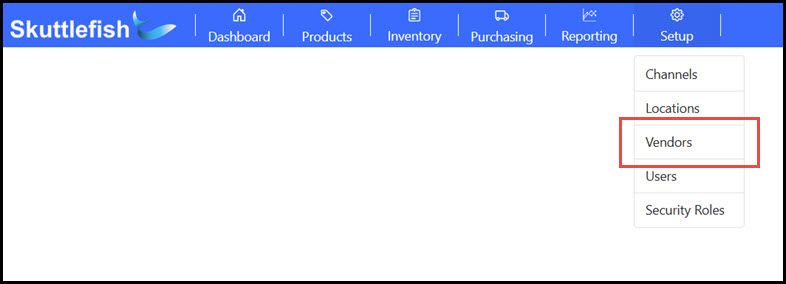
The Vendors Grid is accessible by navigating to Setup > Vendors.
 |
|---|---|
| Vendors Grid |
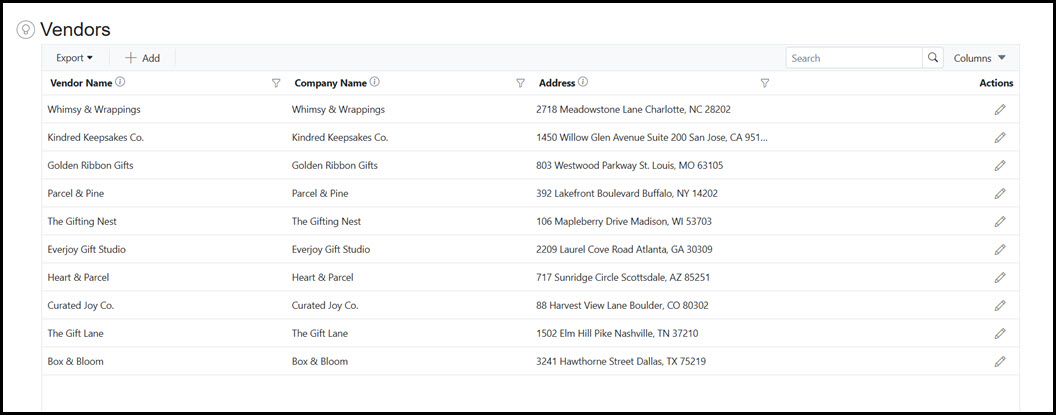
The Vendors Grid provides visibility and access to all Vendors currently in Skuttlefish. The Vendor Grid allows for searching, filtering, and sorting of contents as well as the ability export to Excel or PDF file formats. Vendors may be added to Skuttlefish by clicking the Add button at the top of the Vendors Grid. Click on a row to view and edit a Vendor details.
 |
Vendor View
| Vendor View |
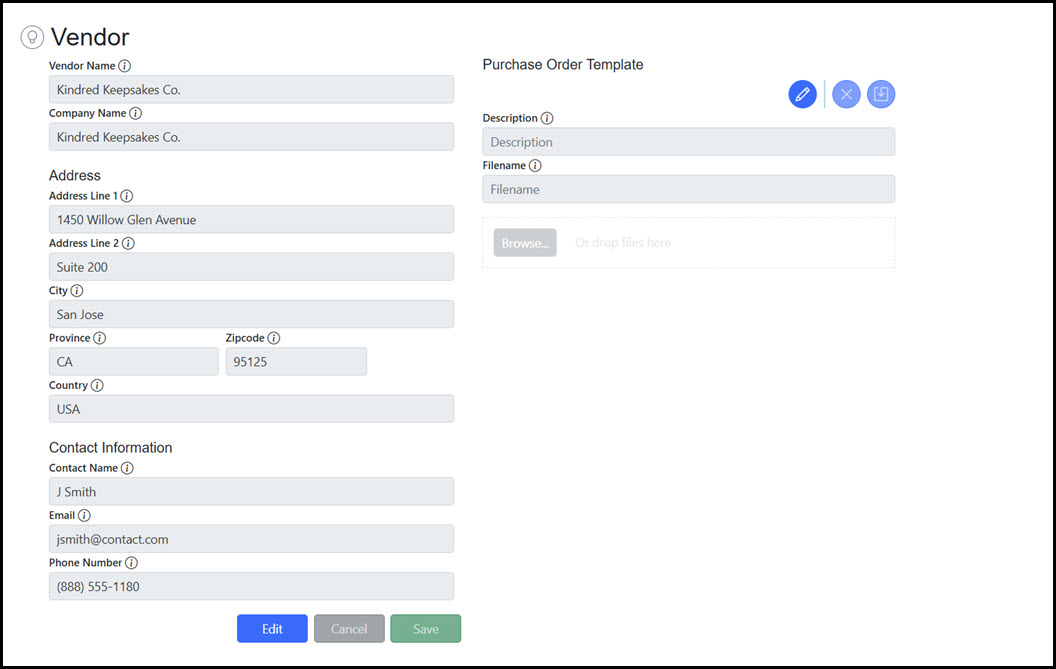
The Vendor View displays additional details and allows end user management of Vendor information.
 |
|---|---|
| Purchase Order Templates |
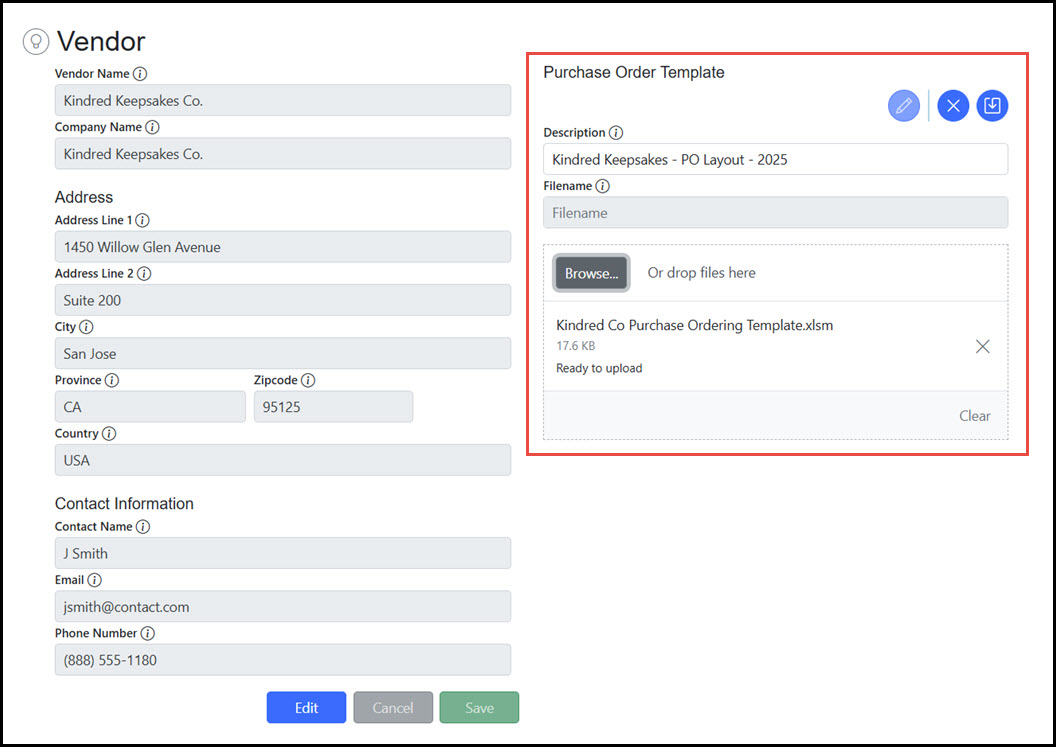
Purchase Order Templates provide the ability to associate file layout examples associated with the expected format required by individual Vendor purchase orders. Purchase order layout file examples can be uploaded directly to Skuttlefish so that purchase orders are generated automatically in the proper format.
 |