| Purpose | This section describes the Cost Lots feature in Skuttlefish. |
|---|---|
| Introduction | Cost tracking in Skuttlefish - referred to as Cost Lots - helps accurately monitor and manage the cost of each batch or purchase of inventory at the SKU level. This ensures reliable financial reporting, accurate inventory valuation, and well-informed pricing and purchasing decisions. Product costs can vary over time due to changes in vendor pricing, shipping fees, or import duties. Cost Lots provide a way to record cost differences at the lot level. When new inventory is received, a new Cost Lot is created to capture the cost details specific to that delivery. As inventory is sold or used, Skuttlefish tracks the Cost Lots that are consumed, enabling precise Cost of Goods Sold (COGS) calculations. This level of detail supports better insight into margins, allows for variance analysis, and ensures traceability of both quantity and value of inventory over time. |
| Sections | This topic includes the following sections: |
Search:
| Topic | Section | Sub-Section | Item |
|---|
Cost Lots
Topic Overview
Cost Lots
| Navigation |
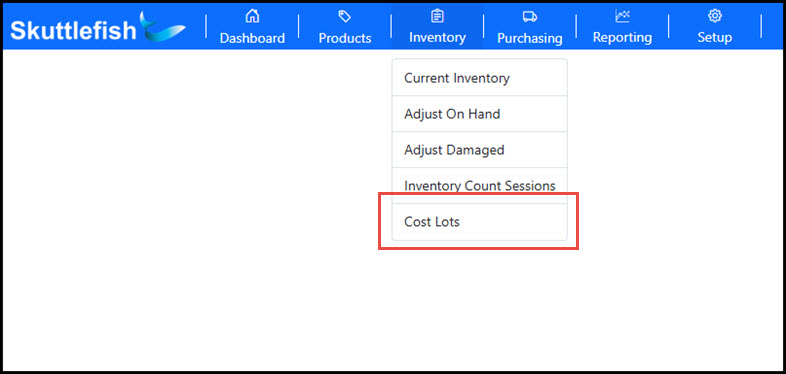
The Cost Lots grid is accessible by navigating to Inventory > Cost Lots.
 |
|---|---|
| Cost Lots Grid |
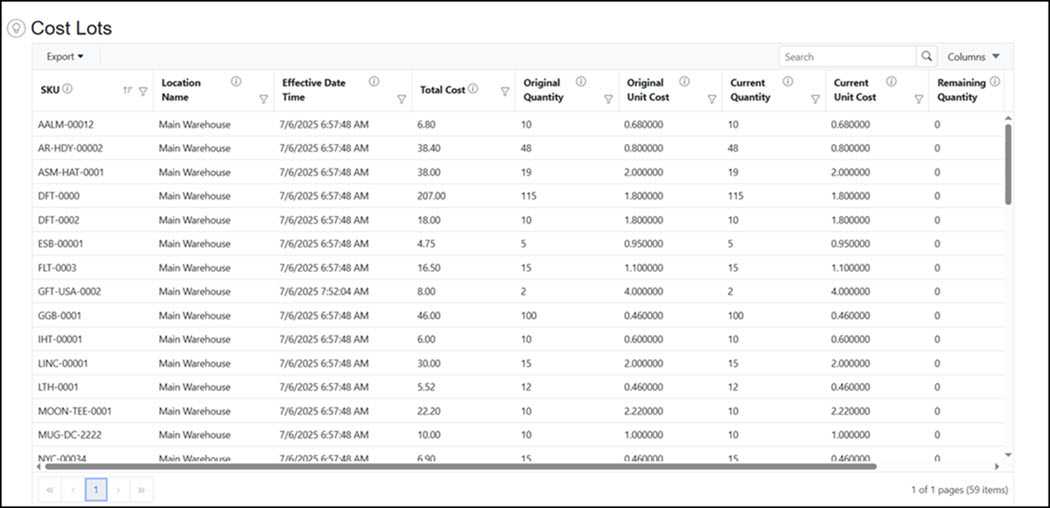
The Cost Lots grid provides a quick view of all active Cost Lots in the system. It supports searching, filtering, and sorting, along with options to export the data to Excel or PDF formats. For more detailed insights, additional Cost Lot information is available through the Reporting module.
 |
| Description |
A Cost Lot is a record that links a specific quantity of inventory to its associated cost at the time of purchase. This allows Skuttlefish to track cost and inventory movement with accuracy. Each Cost Lot contains the following fields:
|
Cost Lot Processing - Creation
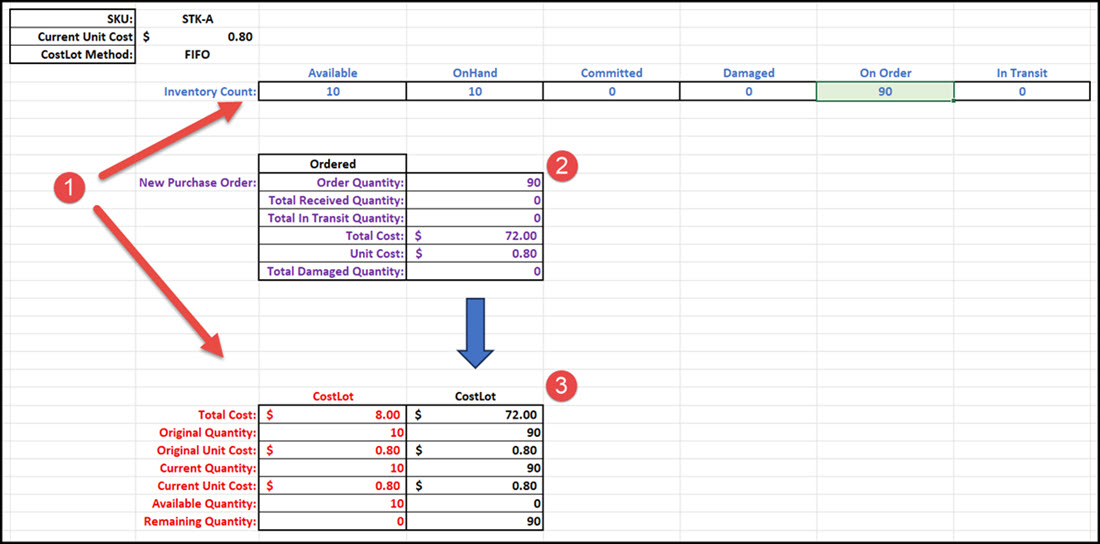
| Overview | Cost Lots are automatically created when product is added to the system (for example, during the Purchase Order process) and are used to track inventory costs at the product level. As quantities are consumed—such as when a Shopify order is processed—Cost Lots are reduced accordingly. Skuttlefish uses a First In, First Out (FIFO) costing method, meaning the oldest Cost Lots are depleted first. |
|---|---|
| Cost Lot Creation |
The example below demonstrates how the system creates and depletes Cost Lots to manage inventory movements.
Cost Lot Creation
 |
| Cost Lot Creation |
 |
Cost Lot Processing - Depletion
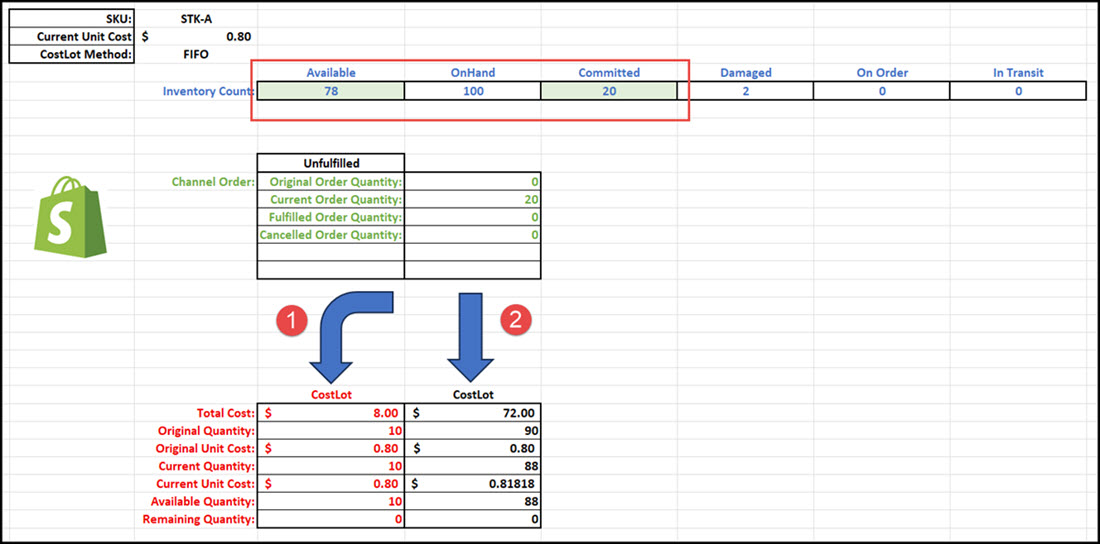
| Overview | Skuttlefish depletes inventory from existing Cost Lots using a First In, First Out (FIFO) method. This means that the oldest available Cost Lots are used first when processing orders or any other quantity reductions. |
|---|---|
| Cost Lot Depletion |
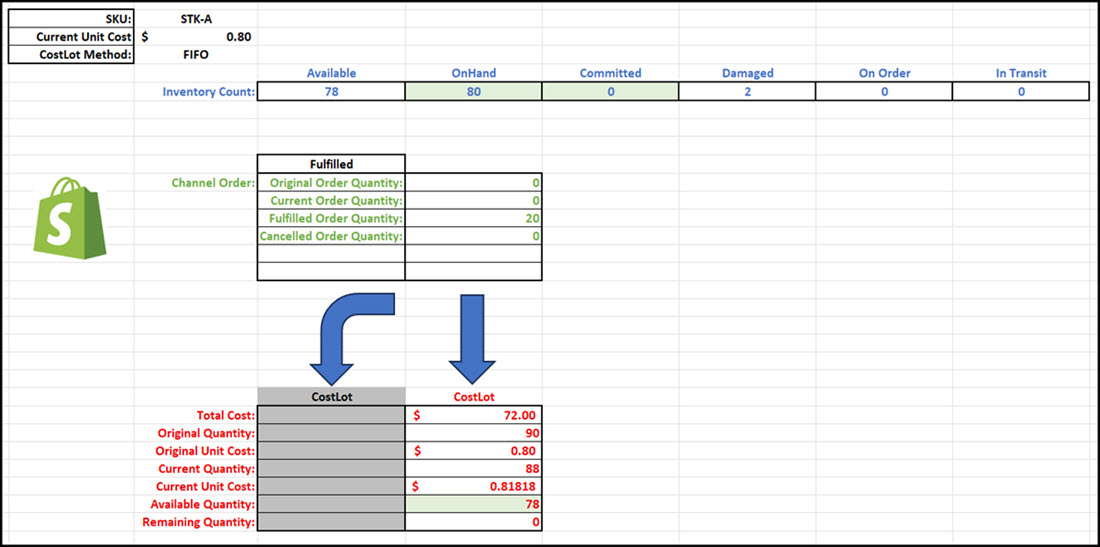
In the example below, an order for 20 items is shown impacting the associated Cost Lots. When created, the order will adjust the Available and Committed inventory counts in Skuttlefish. Once fulfilled, Skuttlefish will:
 |
| Cost Lot Depletion |
So, in the example below, the order of 20 items has fully depleted the earliest Cost Lot of 10 and reduced the next Cost Lot by the remaining 10 items.
 |