| Purpose | This topic explains how to view and manage Channels. |
|---|---|
| Introduction | A Channel represents a connection between Skuttlefish and a Shopify Storefront. Skuttlefish is deployed as a Shopify Custom App which requires it to be directly installed to the Shopify Storefront (rather than through the Shopify App Store). Once installed to the Shopify App Store as a Shopify Custom App, Skuttlefish uses secure access tokens generated by the Shopify Storefront to establish connectivity and manage the syncronization of storefront inventory. For more information, contact the Skuttlefish support team. Note: Skuttlefish currently supports connectivity and synchronization with a single Shopify channel per customer. Support for multiple Channels—including connections to additional Shopify storefronts or other platforms—is planned for a future release. |
| Sections | This topic includes the following sections: |
Search:
| Topic | Section | Sub-Section | Item |
|---|
Channels
Topic Overview
Channels Grid
| Navigation |
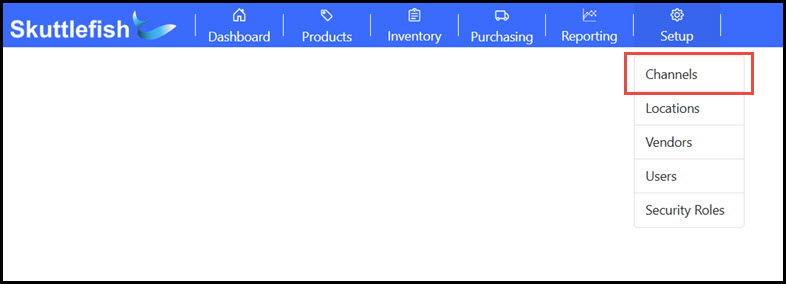
The Channels Grid is accessible by navigating to Setup > Channels.
 |
|---|---|
| Overview |
The Channels grid displays all Shopify Storefronts currently added within Skuttlefish. Select a Channel to view the Channel details or click the + Add button to add a new Channel.
 |
Add Channel
| Enter Shopify Access Keys |
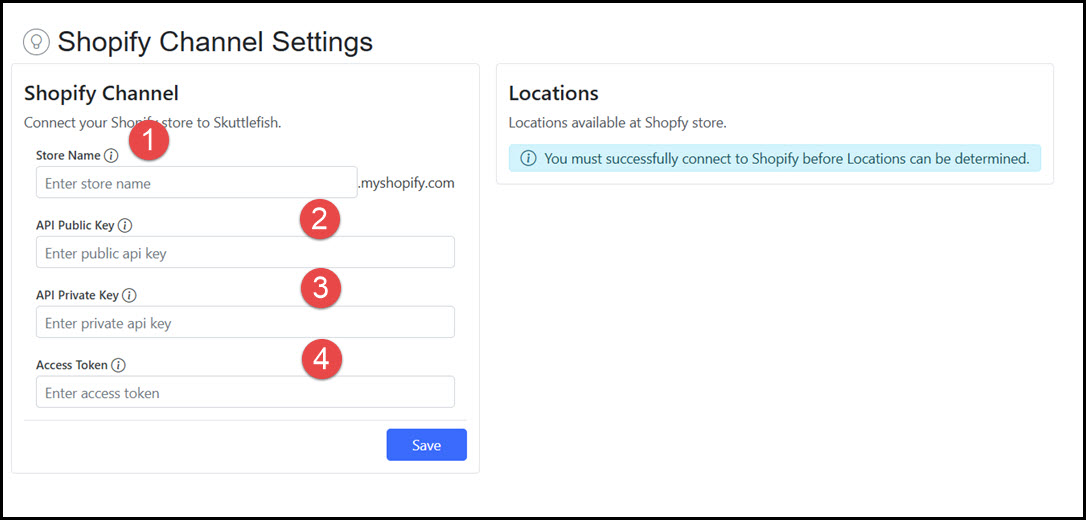
To add a Channel, the target Shopify Storefront must first be configured for custom apps. During this process, the Shopify Storefront provides a set of keys that are required to be used within Skuttlefish to connect to the Shopify Storefront when adding the Channel.
The list below describes these essential fields and how they are used in Skuttlefish to add a new Channel. For more information on this process, please contact the Skuttlefish support team at support@Skuttlefish.com.
 |
|---|---|
| Connect to Shopify |
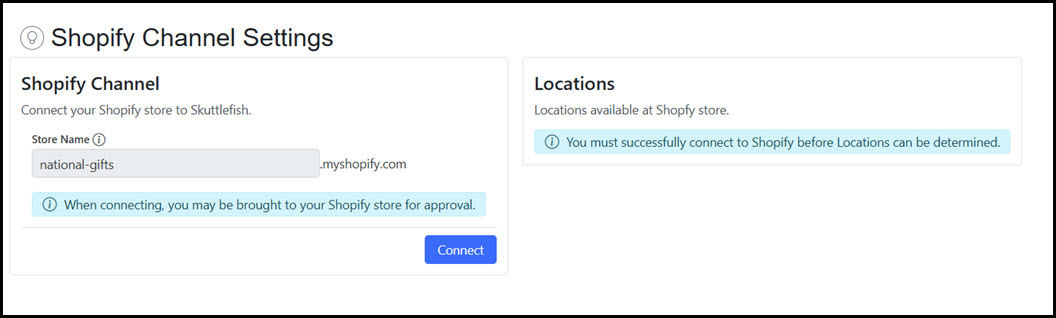
Once these fields are Saved, connect to the Shopify Storefront by clicking Connect.
 |
| Locations & Sync |
Skuttlefish allows the optional inclusion or exclusion of all Shopify locations related to the storefront channel that is synched. Shopify Locations are physical or virtual places where the business performs activities that affect inventory. These can represent a store, warehouse, pop-up shop, dropshipping supplier, or other third-party fulfillment service.
Note: Skuttlefish currently supports inventory tracking and synchronization for a single Location per Shopify storefront. Support for multiple Shopify Locations is planned for a future release, enabling more advanced inventory management across distributed fulfillment points.
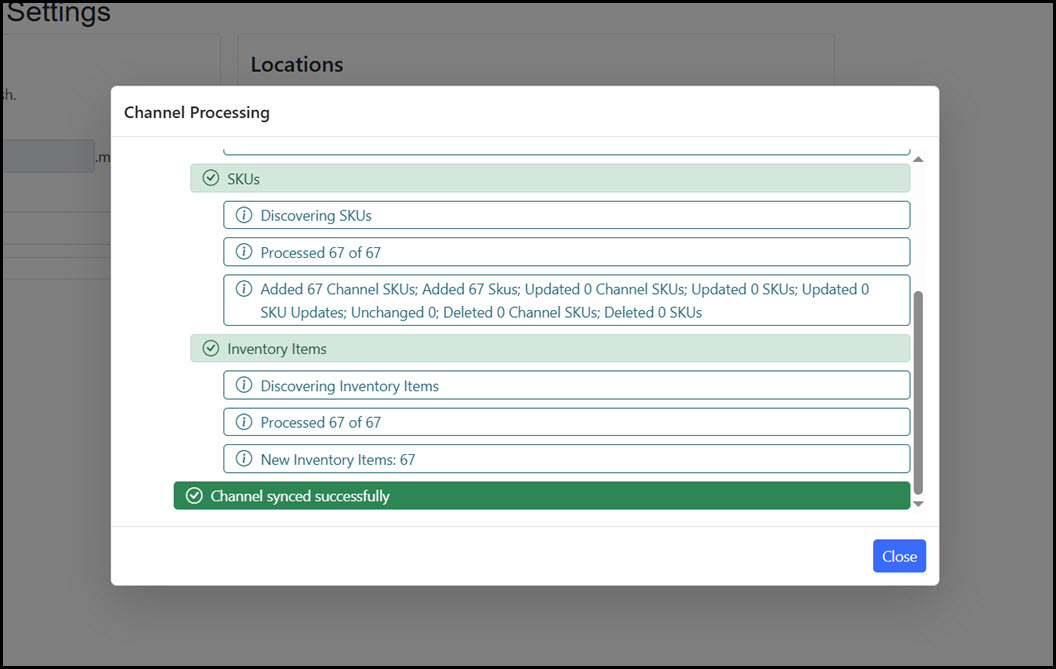
Click Sync to synchronize Skuttlefish with the Shopify Storefront.
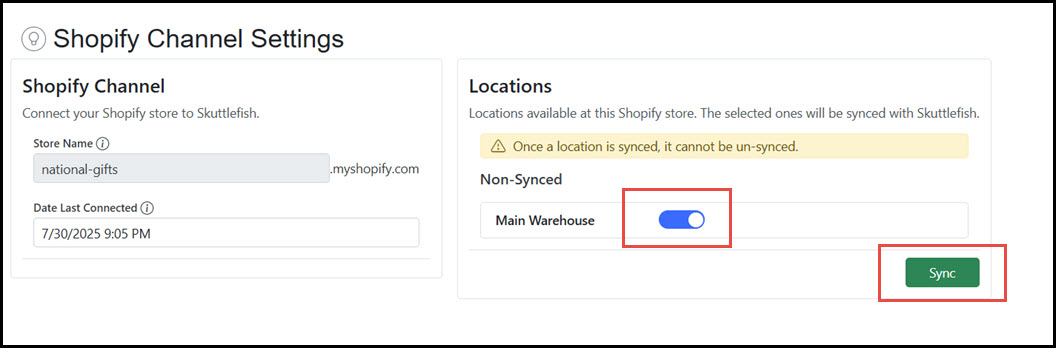 Skuttlefish displays a confirmation prompt once the full manual sync process is completed.
 |