| Purpose | This topic explains how to view and manage Security Roles. |
|---|---|
| Introduction | The Security Roles View provides the ability to create and manage permission roles that are assigned to users for role-based security access. |
| Sections | This topic includes the following sections: |
Search:
| Topic | Section | Sub-Section | Item |
|---|
Security Roles
Topic Overview
Security Roles
| Navigation |
The Security Roles view is accessible by navigating to Setup > Security Roles.
 |
|---|---|
| Security Roles View |
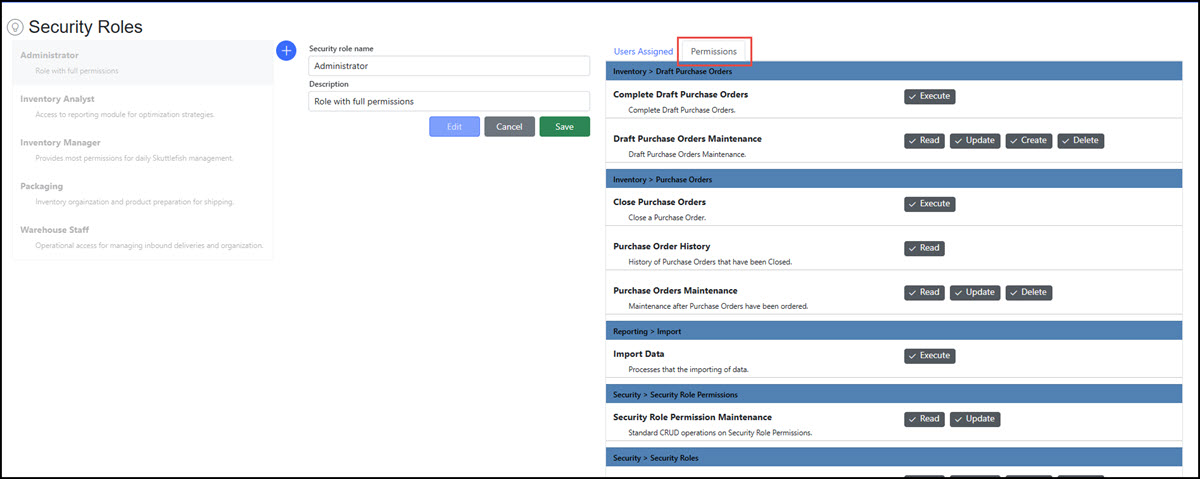
Security Roles are the definition of permission-based roles that can be assigned to Users. Skuttlefish includes discrete levels of permissions that can be assigned to a Security Role. Any number of Security Roles can be defined with any variation of permissions that can be assigned to one or many Users.
The image below displays the various regions of the Security Roles View:
 |
| Permissions |
The Permissions tab displays the privilege setting for each permission. Privileges can be toggled on/off directly within the screen to configure the selected Security Role.
 |
Permissions
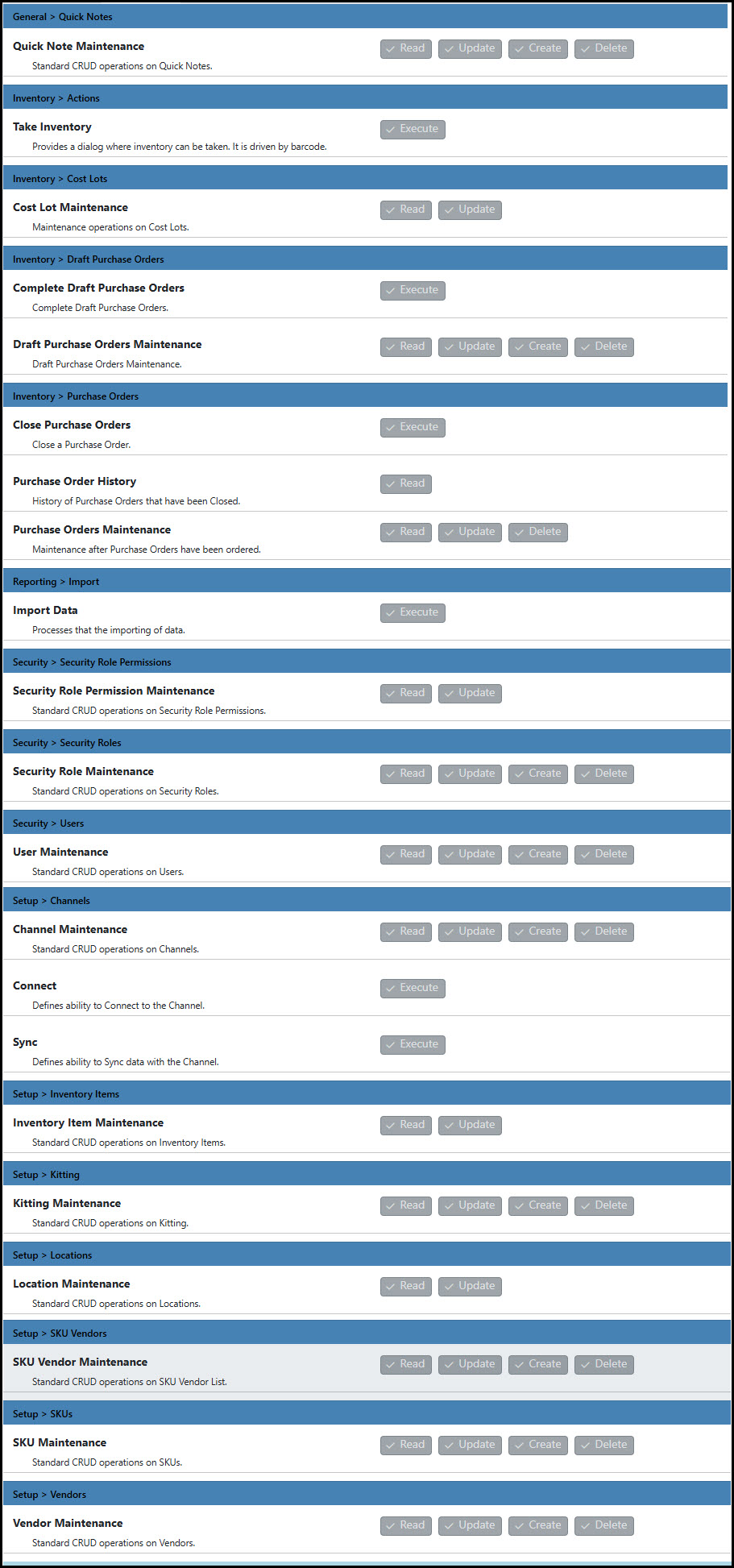
| Permissions Summary |
Below is a view of all privileges that can be set in the system:
 |
|---|