| Purpose | This section describes the Kitting (also known as product bundles) feature in Skuttlefish. |
|---|---|
| Introduction |
A Kit is a product bundle composed of one or more individual SKUs, called components. Each Kit has its own unique SKU and functions as a standalone product that can be sold, tracked, and shipped through your Shopify store just like any individual item.
The Kitting functionality enables you to combine multiple SKUs into a single sellable unit while maintaining accurate inventory control. When customers purchase Kits through your Shopify store, Skuttlefish automatically:
|
| Sections | This topic includes the following sections: |
Search:
| Topic | Section | Sub-Section | Item |
|---|
Kitting
Topic Overview
Kitting
| Navigation |
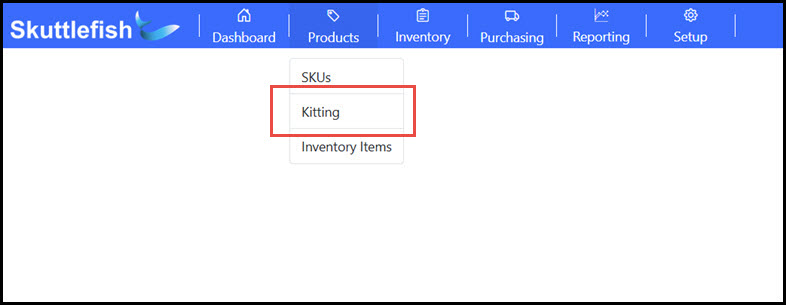
The Kitting Grid is accessible by navigating to Products > Kitting.
 |
|---|---|
| Kitting Grid |
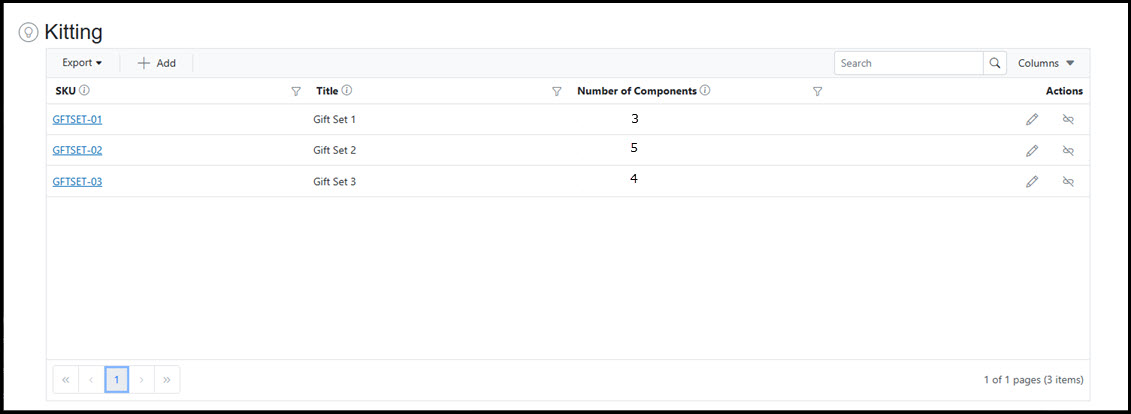
The Kitting Grid displays all Kits configured in your Skuttlefish system, providing comprehensive visibility and management capabilities. Use the grid to search, filter, and sort your Kit inventory, with options to export data to Excel or PDF formats. Click any Kit row to access detailed information.
 |
| Kitting View |
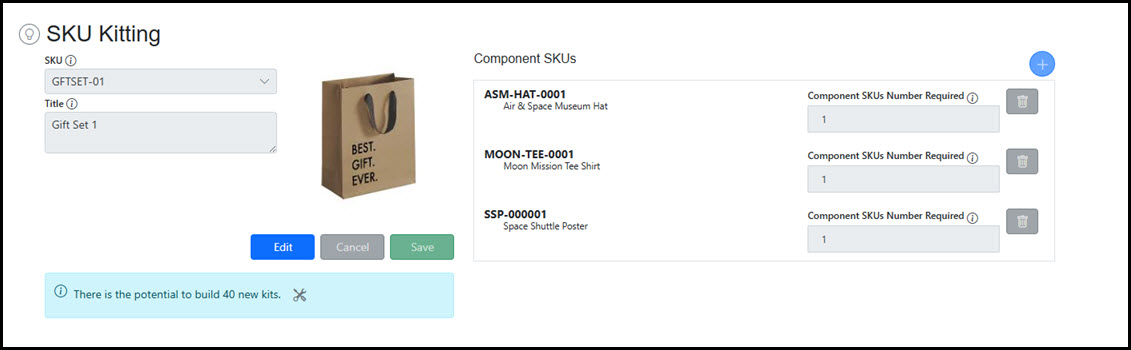
The Kitting View shows detailed Kit information including the Kit SKU and all component SKUs with their required quantities. From this view, you can create new Kits and manage prebuilt Kit inventory by building or unbuilding assembled units as needed.
 |
Managing Kits
| Overview | Kits are created using a dedicated Kit SKU that must already exist in your Shopify store. To define the Kit, you add one or more Component SKUs, specifying the quantity of each component required per Kit unit. Kits can be modified after creation. You can add or remove Component SKUs and adjust the quantity requirements for any component. Skuttlefish automatically recalculates the Kit's available inventory whenever component specifications are changed. Note: Kit deletion is not currently available through the user interface. If you need to remove a Kit, please contact support for assistance with backend data changes. |
|---|---|
| Creating a Kit |
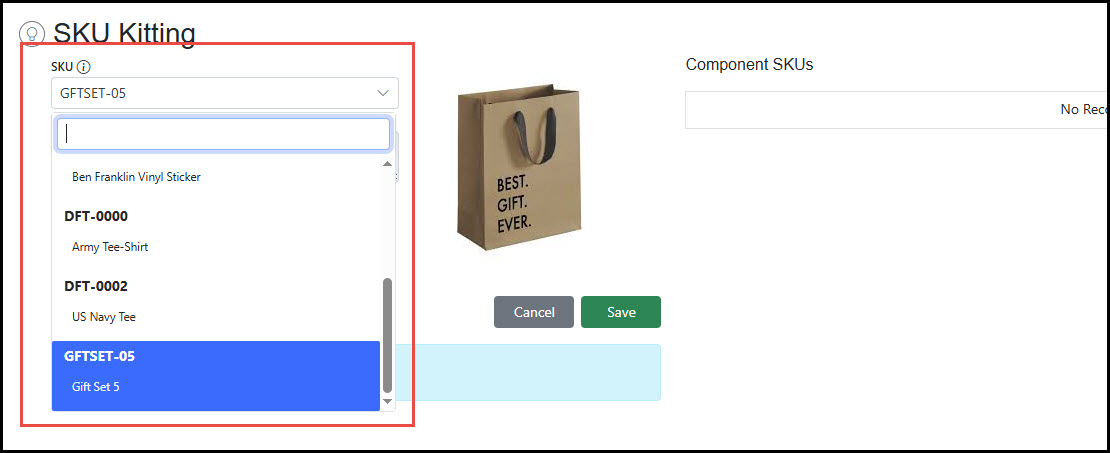
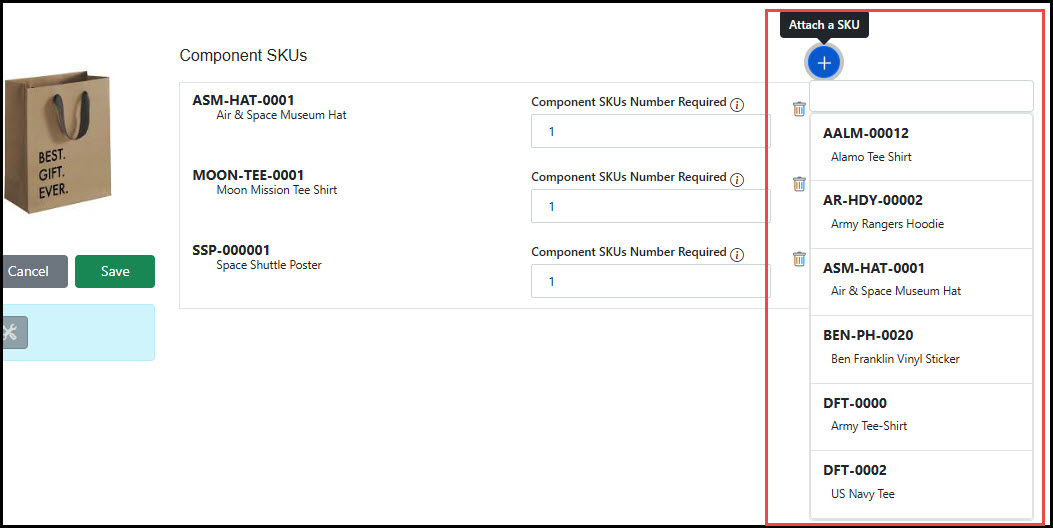
To add a new Kit, click the Add button on the Kitting Grid. Once on the Kitting View, select the SKU that will represent the Kit in the SKU field. Either save the new Kit or add add Component SKUs by clicking the Plus icon in the Component SKUs area. Select the SKUs that will make up the Kit and set the quantity for each. Click Save.
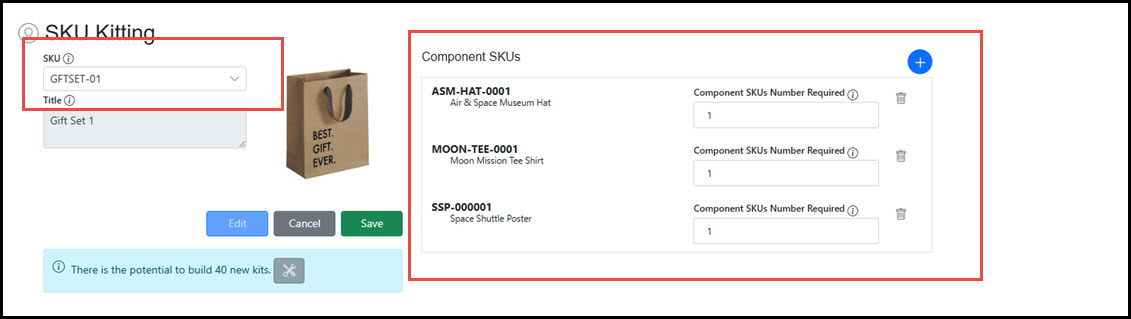 Select Kit SKU:
 Add the Component SKUs from the dynamic dropdown, add quantities:
 |
| Modifying Kits |
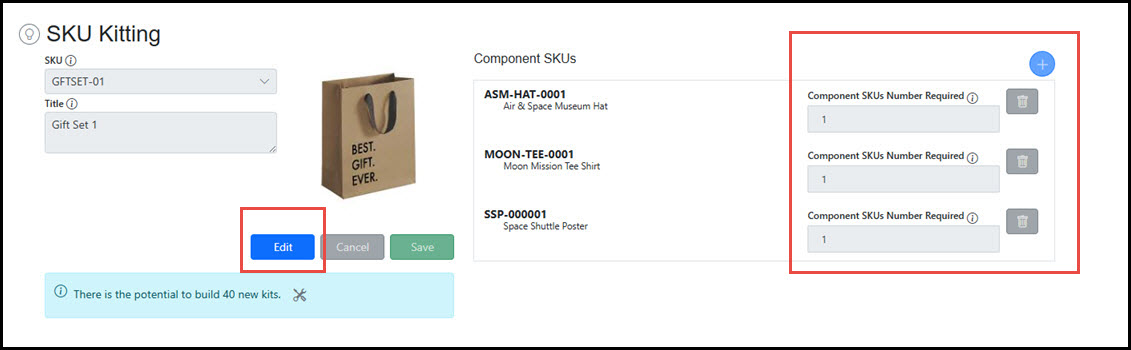
Click the Edit button to modify a kit. Add Component SKUs, deleted existing Component SKUs, or adjust quantities of Component SKUs within the bundle.
 |
Prebuilt Kits
| Overview | Prebuilt Kits are inventory items that represent physically assembled product bundles stored and sold as complete units. Skuttlefish allows for the tracking of prebuilt kits by adding the number of prebuilt kits on hand to the system. |
|---|---|
| Potential Prebuilt Kits |
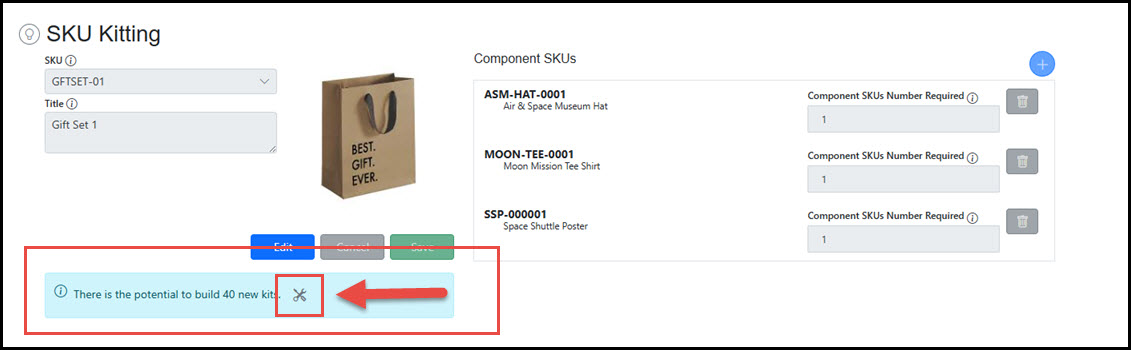
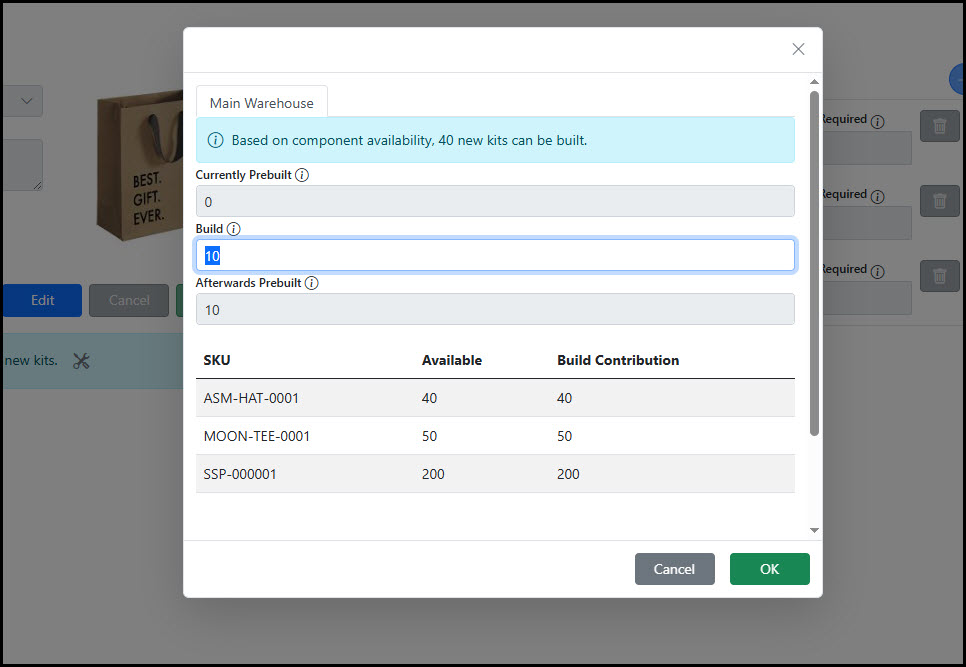
The number of existing prebuilt kits can be added on the Kitting View for any Kit. The prebuilt Kit area displays the current amount of prebuilts that can be constructed for the Kit based upon the Component SKU availability.
Click the Prebuild Kit icon to add prebuilt kits.
 |
| Adding Prebuilt Kits |
In the Prebuilt Kit popup, add the number of Kits that were constructed. Prebuilding does not increase the total number of kits available beyond what the Component SKU inventory allows. It simply shifts the inventory from the Component SKUs to the Kit SKU.
 |
Kit Inventory
| Kit Inventory Management |
Kit inventory counts are dynamically calculated based on component availability and automatically update whenever Component SKU quantities change due to purchases, adjustments, or other inventory transactions.
Total Kit availability includes both:

| ||||||||||||||||||||
|---|---|---|---|---|---|---|---|---|---|---|---|---|---|---|---|---|---|---|---|---|---|
| Kit Inventory Calculation Example | ExampleBelow is a simple example of how Skuttlefish uses the Component SKUs and any prebuilt kits to calculate the On Hand inventory of a Kit in the system.Prebuilt Kits = 25 Requirements per Kit:
Component Availability:
Calculation: Kit Availability = Prebuilt Kits + Minimum(50, 40, 40) Result: You can supply 65 kits — 25 already prebuilt, plus 40 more that can be built from components. | ||||||||||||||||||||