| Purpose | This topic explains how to view and manage products or SKUs (or Stock Keeping Units). |
|---|---|
| Introduction | A SKU (Stock Keeping Unit) is a unique identifier that a merchant assigns to each distinct product or product variant to help manage inventory and track sales. The SKU in Skuttlefish represents the individual products sold in the Shopify storefronts. SKUs are synched into Skuttlefish during the initial synch with the Shopify storefront and managed – in some cases bidirectionally – between Skuttlefish and Shopify. |
| Sections | This topic includes the following sections: |
Search:
| Topic | Section | Sub-Section | Item |
|---|
SKUs
Topic Overview
SKUs
| Navigation |
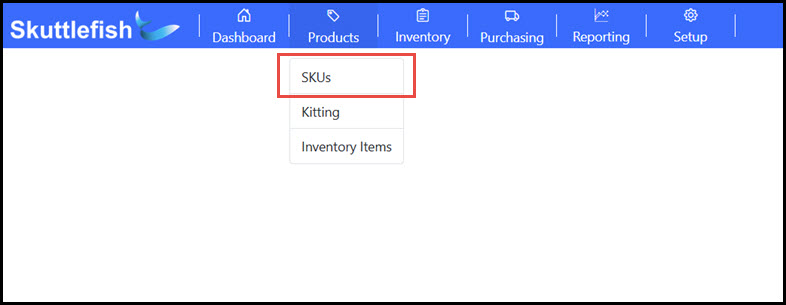
The SKUs Grid is accessible by navigating to Products > SKUs.
 |
|---|---|
| SKUs Grid |
The SKUs Grid provides visibility and access to all SKUs currently in Skuttlefish. The SKUs Grid allows for searching, filtering, and sorting of contents as well as the ability export to Excel or PDF file formats. Click on a row to view additional SKU details.
 |
SKU View
| SKU View |
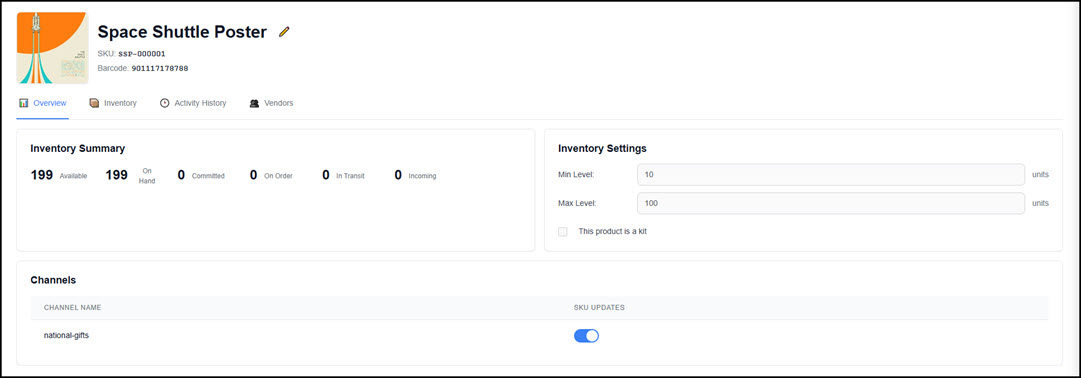
The SKU View displays the SKU details as well as the important relationships used to manage inventory, physical location counts, ordering, and sales channels.
|
|---|---|
| SKU View |
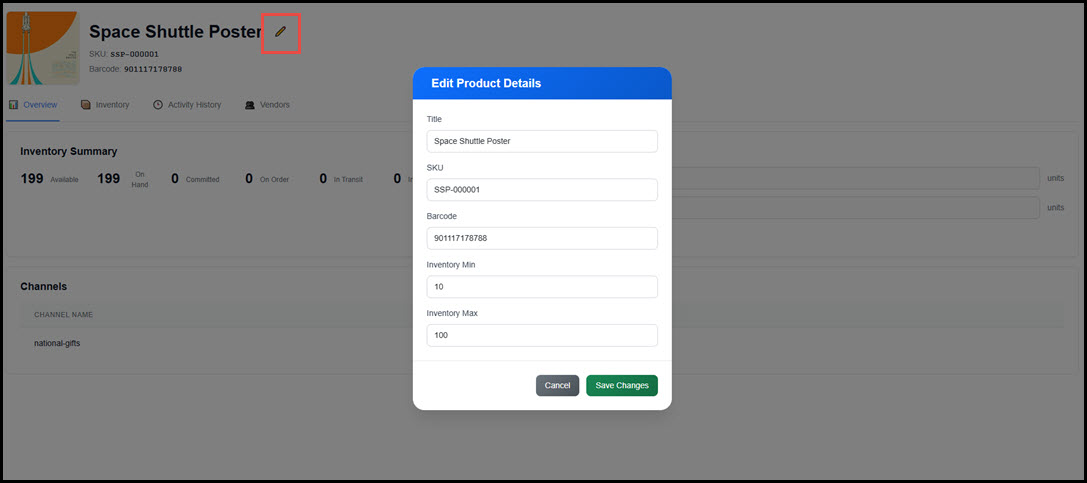
Edit the SKU properties by clicking the pencil icon.
 |
| Overview |
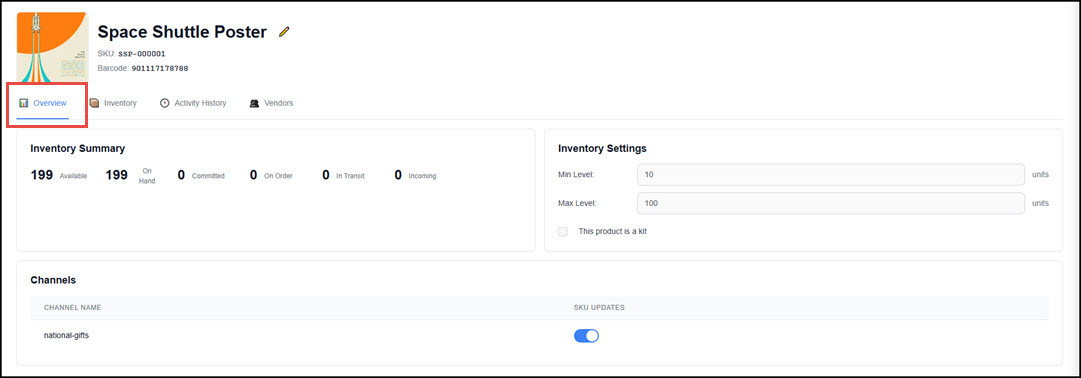
The SKU View includes the details of the product displayed in several tabs on the screen. The Overview displays the current total stock counts, basic minimum and maximum carry threshold settings, and the respective channel.
 |
| Inventory |
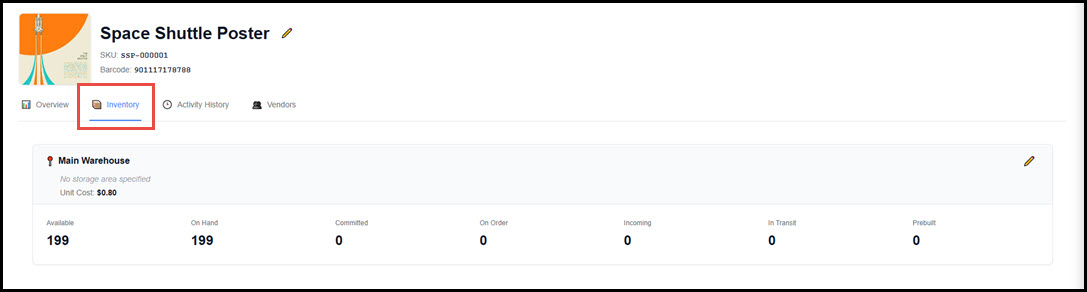
The Inventory tab shows the invnetory counts by Location (only one location is currently supported). Click the pencil to update the unit cost or storage location for the product.
 |
| Activity History |
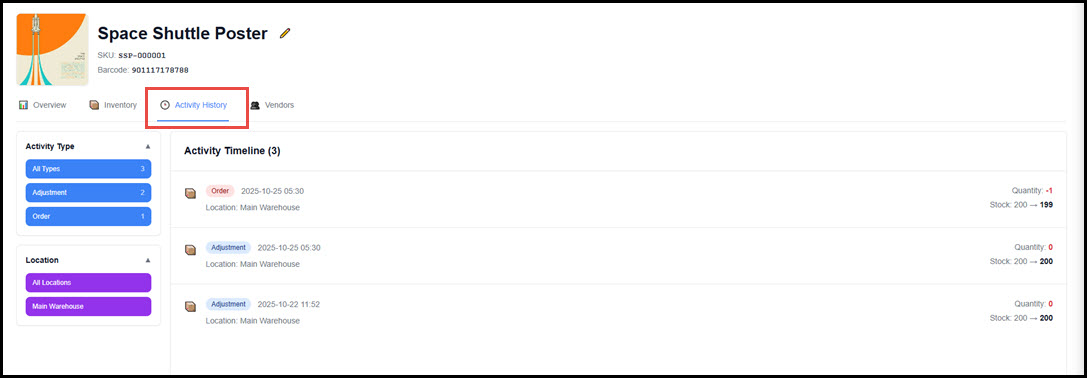
The Activity History displays the timeline of adjustments that have impacted the product inventory counts. These can be adjustments in Skuttlefish or via Shopify. Filter by activity type or location using the left panel.
 |
| Vendors |
Each SKU can be linked to one or more Vendors, allowing for detailed purchase order configuration and vendor-specific item tracking. One vendor may be tagged as the primary vendor for a product. For each Vendor-SKU relationship, the following attributes are tracked:
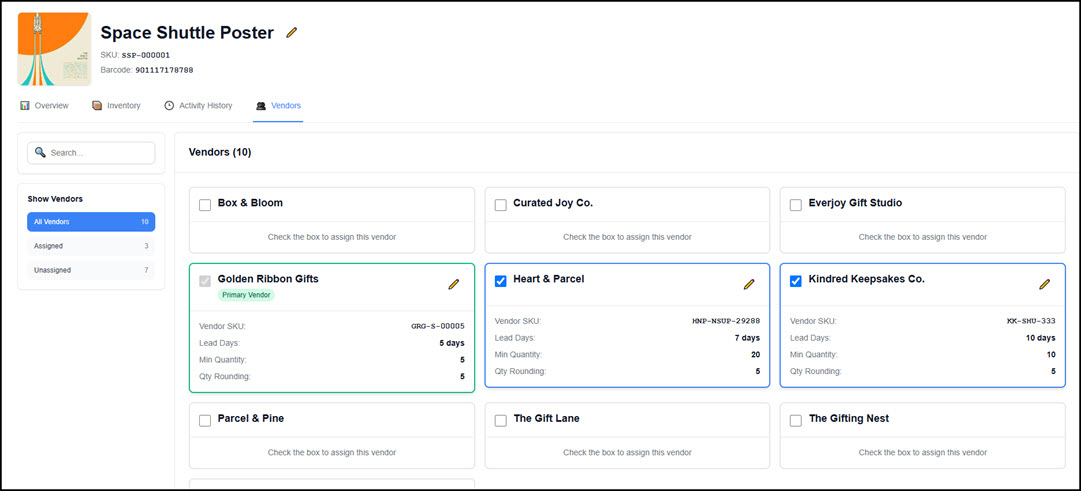 For more information regarding Vendors, please refer to the Vendors section of the help documentation.
|
Synching SKUs
| Initial Sync (Shopify to Skuttlefish) |
When a Shopify storefront is first connected to Skuttlefish, all products and their associated data are imported and mapped. The following product attributes are included in the initial sync:
|
|---|---|
| Ongoing Sync from Shopify to Skuttlefish |
After the initial sync, updates made in Shopify continue to update Skuttlefish for the following:
|
| Ongoing Sync from Skuttlefish to Shopify |
Skuttlefish can also update Shopify when certain product or inventory events occur:
|