| Navigation |
The Shipment Quality Control grid is accessible by navigating to Purchasing > Quality Control.
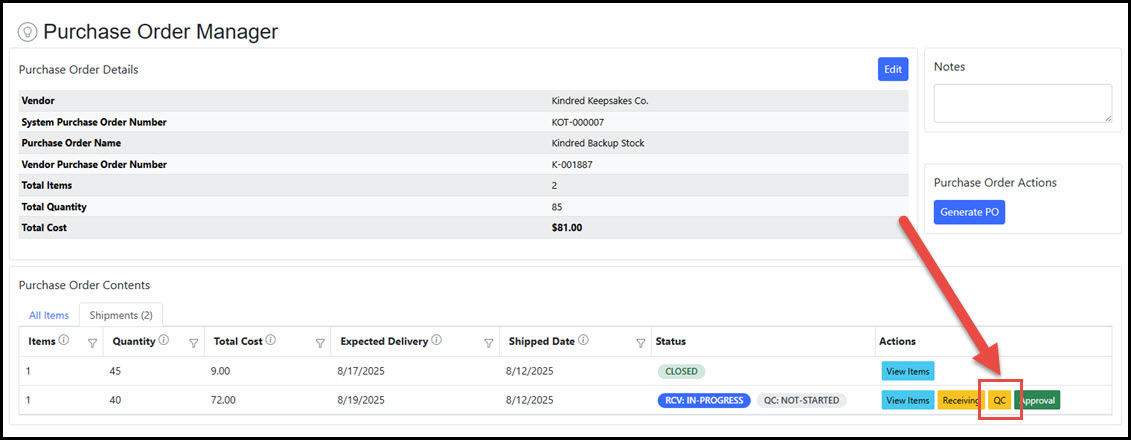
 The Purchase Order Manager also shows a QC button on every shipment record; when the Shipment Receiving has initiated processing of the delivered items, it links straight to the Shipment Receiving record.
 |
|---|
| Quality Control Grid |
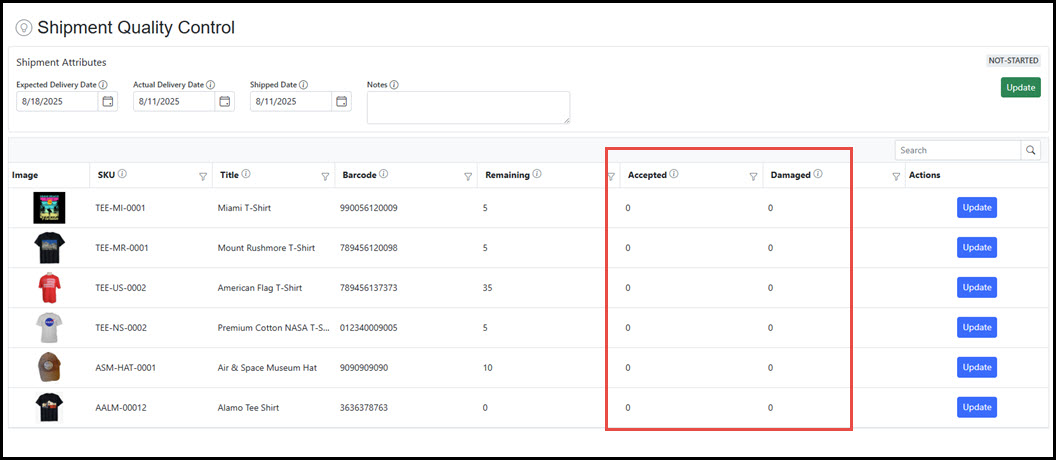
The Quality Control grid displays all shipments where the Receiving stage is "In-Progress". It supports searching, filtering, and sorting, and also allows you to export the data to Excel or PDF formats. Select a Purchase Order from the grid to view or manage its details.
 |
|---|
| Overview |
The Shipment Quality Control Manager view consists only of items that have been entered as "Received" in the Shipment Receiving process. Here, the quality control process can move items to an "Accepted" or "Damaged" status based upon physical review or other quality assurance processes.
 |
|---|
| Quality Control Entry |
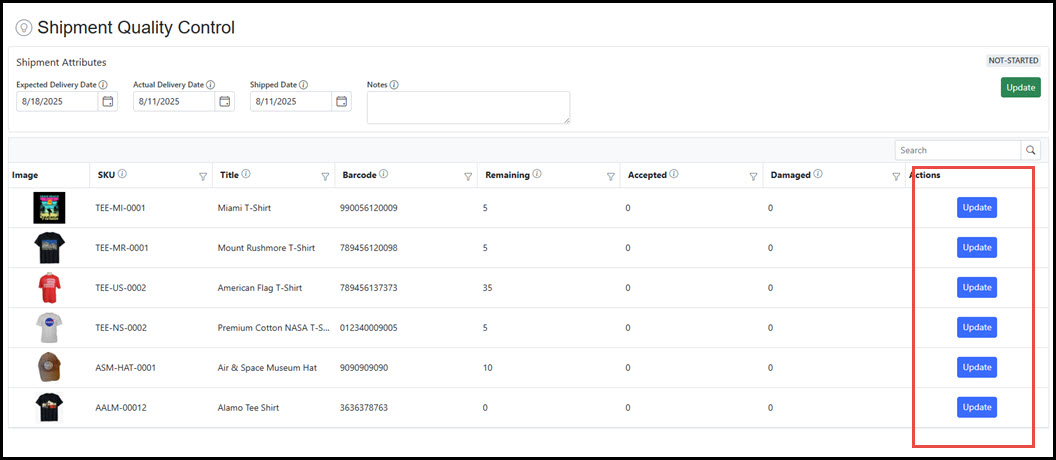
To log the items as quality control reviewed in a received shipment, click the Update button for the item to access the Quality Control Entry screen.
 |
|---|
| Quality Control Entry |
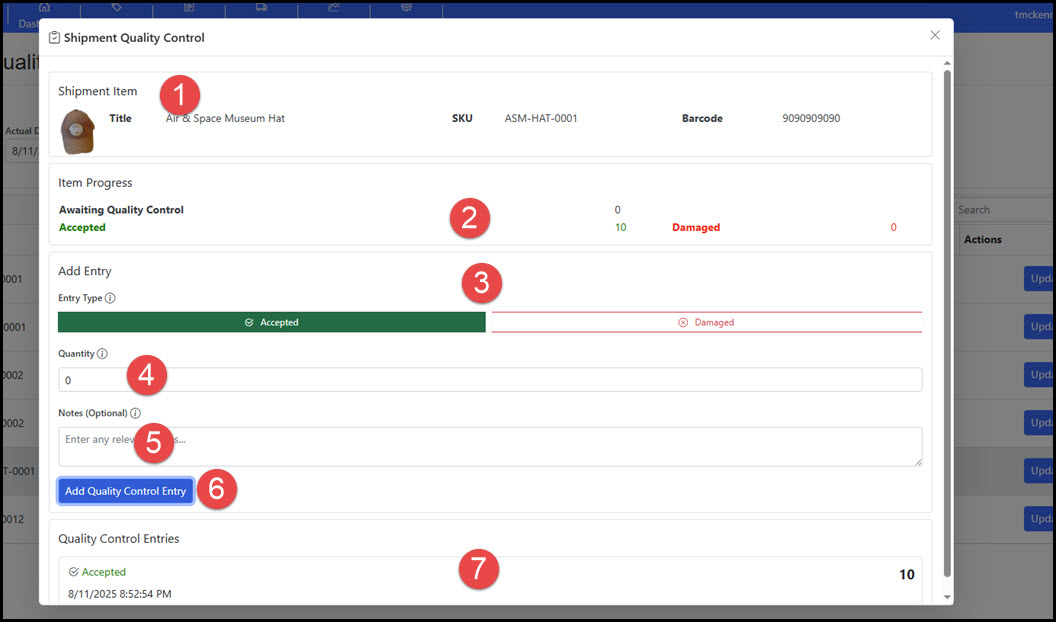
In the Quality Control Entry popup, the user can enter "Received" product counts as "Accepted" or "Damaged" for the selected item in the shipment. Below is a labeled view of the Quality Control Entry screen and a brief description of each:
- Shipment Item: The current SKU information.
- Item Progress: The progress of the items in the shipment. Tracks the amount awaiting quality control, the accepted amount, and any flagged as damaged.
- Entry Type: Quantity entry type, select the type to enter.
- Quantity: The amount to enter.
- Notes: Optional notation with the entry.
- Add Quality Control Button: Click to enter the Quantity amount.
- Quality Control Entries: Log of entries for the item in the shipment.
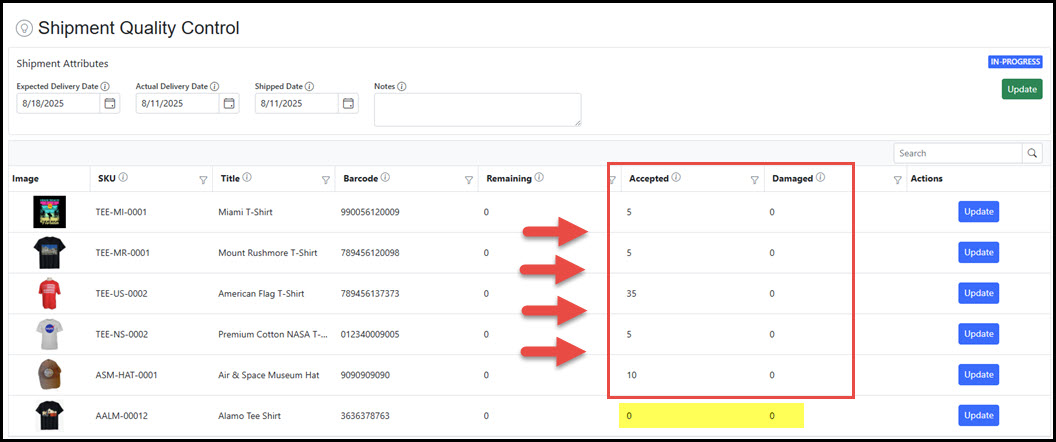
 As product in the received shipment is reviewed, entries move the counts from "Remaining" to "Accepted" or "Damaged". In the image below, there is a remaining SKU that was marked as "Late" or "Lost" in the Shipment Receiving and not included in the Quality Control process. Note: Movement of items to the "Accepted" status does not yet clear the product for sale. "Accepted" and "Damaged" counts remain in a pending status where they are staged for final review and approval.
 |
|---|
| Quality Control Stages |
Shipments move through a series of stages that track the status of the receivable during the process of delivery through to approval. The system automatically updates this status at specific points in the process.
- QC: Pending – This is the first status assigned when the shipment is created during the submission of the Purchase Order (or when a shipment is created from a split or replacement). The shipment’s QC status remains Pending until an item in the shipment has been processed by Shipment Receiving.
- QC: Not-Started – When the Shipment Receiving has started processing of the delivery. The shipment remains in "Not-Started" until Quality Control reviews any of the contents of the purchase order that were processed by receiving.
- QC: In-Progress – Once an item is manually entered into the Quality Control process, the status of the shipment moves to "In-Progress". The shipment QC remains in the "In-Progress" status until all items have progressed through the receiving, quality control, and approval process and the shipment is closed.
- QC: Complete (Closed) – When all items have been processed through receiving, quality control, and approval, the shipment quality control stage is automatically set to "Complete/Closed". Note: The QC stage remains "In-Progress" for the duration of quality control and approval.
|
|---|