| Purpose | This topic explains how to view and manage Users. |
|---|---|
| Introduction | The Users View provides the ability to create and remove Users as well as manage User security permissions. |
| Sections | This topic includes the following sections: |
Search:
| Topic | Section | Sub-Section | Item |
|---|
Users
Topic Overview
Users
| Navigation |
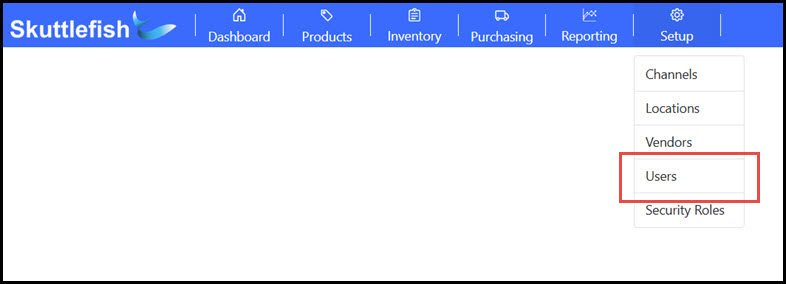
The Users management view is accessible by navigating to Setup > Users.
 |
|---|---|
| Users Grid |
The Users Grid displays the Username and email of Users currently configured within Skuttlefish. New Users may be added and existing users can removed, or edited by selecting the User row.
 |
User View
| User View |
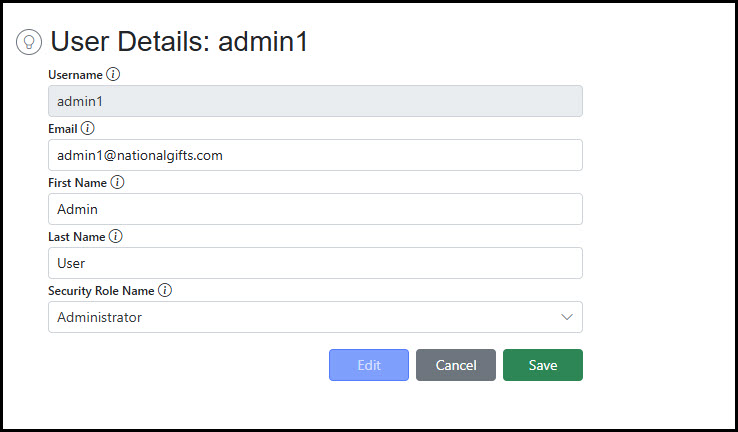
Selecting an existing User on the User Grid displays the User View and the details associated with that user.
 |
|---|---|
| Add New User |
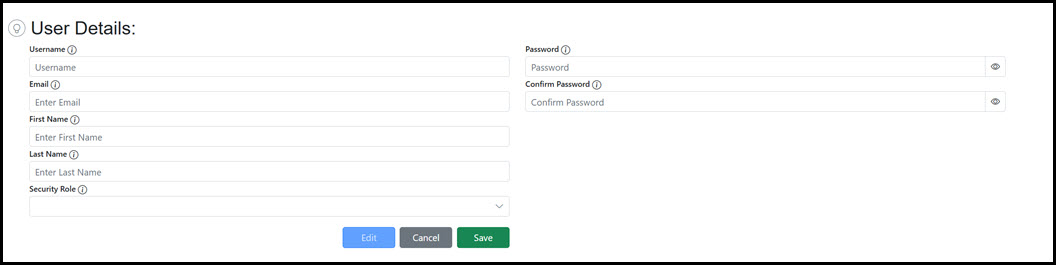
Click the Add button on the Users grid to add a new User. Currently, Skuttlefish only supports Administer adding of a new user and password directly in the User view. Add the users's Username/Email, assign a Password, and select a Security Role to create the new User.
 |
| Security Roles |
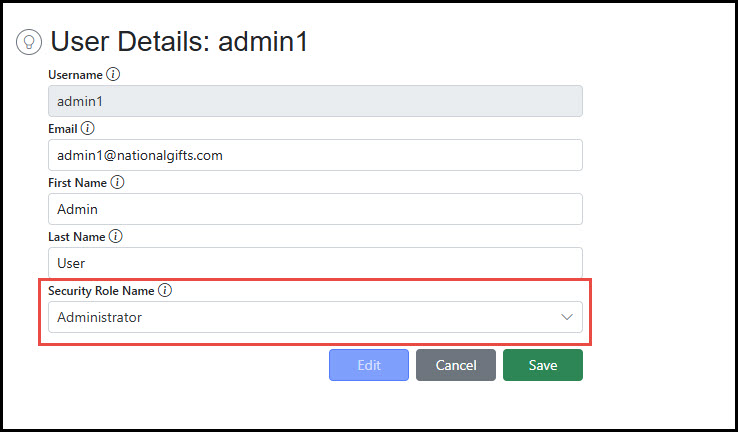
Users are granted security permissions by assigning a Security Role. When linked to a Security Role, the privileges for the User will be assigned from the role. Skuttlefish allows for the definition of any variation of security roles that can be assigned to one or many users.
 |